Two people can share a piano without sharing a learning history. That is the useful starting point for a family subscription: each learner should return to their own lessons, even when both use the same tablet. Simply Piano and flowkey offer plans for that job. Skoove currently keeps one course history per account, so independent progress changes the household budget.
The best-value choice can also be a specific way of buying. Simply’s fixed-term family gift offers a clear annual total, while two classical-focused flowkey learners may spend less on separate Classic plans than on Family. Here is how those choices work.
Decide what each learner needs to keep separate
Before buying more lessons, check whether lessons are the missing part. An adult already following a teacher’s programme can use our app, Practis, for their own pieces and practice notes. A separate notebook for each learner can serve the same purpose. Neither choice requires the household to adopt one app’s course sequence. Our guide to practice logs, trackers and journals explains that distinction.
For a lesson app, a profile identifies the learner and their history. A paid place gives that learner access to the subscription’s content. An account holds the login and purchase relationship. Creating another avatar may give you a place to save progress without giving that profile the same paid access.
Imagine an older sibling halfway through a course and a younger sibling learning the first notes. If the younger child opens the older child’s profile, the app’s record no longer describes either learner accurately. Taking turns on one device works well only when choosing the right profile becomes part of sitting down to practise.
What two or three learners actually cost
US-dollar subscription prices checked 16 November 2026, before any additional tax or currency-conversion charge. These totals assume you already have a piano and compatible devices. Annual amounts are paid upfront.
| Purchase | Two learners, 12 months | Three learners, 12 months | What the payment covers |
|---|---|---|---|
| Simply Family gift | $149.99 total | $149.99 total | Up to five profiles; a fixed 12-month gift term. |
| flowkey Family | $224.99 total | $224.99 total | Up to five eligible household family members; Premium catalogue. |
| Separate flowkey Classic plans | $199.98 total | $299.97 total | $99.99 per person; narrower music selection. |
| Separate Skoove Premium plans | $299.98 total | $449.97 total | $149.99 per account, with an independent history in each. |
Sources: Simply’s gift selector and gift coverage; flowkey’s US price tables; Skoove’s standard website plans. The separate-account totals are our multiplication of the individual price.
A five-profile price does not become cheap per person unless those people use it. For two active learners, the annual flowkey Family cost works out to about $112.50 each; for three, about $75 each. Those figures help divide a household budget, but the bill remains one payment of the full amount.
The Classic row is the useful exception to “always buy Family.” Two accounts cost $25.01 less than flowkey Family over a year. Classic covers the courses and classical/public-domain repertoire; Family includes Premium’s broader song selection. If one learner wants film themes or pop arrangements, check those exact pieces before choosing the cheaper pair. A discount that removes the music somebody wants to play is a poor saving.
For a shorter commitment, flowkey Family is $34.99 monthly. Skoove’s individual monthly rate is $29.99, making two separate accounts $59.98 for one month. Simply’s three-month Family gift is $74.99. Compare these as different lengths of commitment: multiplying a monthly equivalent does not tell you when the money leaves your account.
Simply: choose the paid profiles, then the purchase route
Simply’s plan comparison gives Individual one Premium profile, Duo two, and Family five. Duo covers Simply Piano; Family adds access across Simply’s apps. The Piano profile guide specifically advertises Duo for iOS subscribers. For two piano learners, compare that offer if it appears on your device before paying for unused family places.
The gift route is unusually straightforward to price. Its public selector shows a one-time $149.99 payment for 12 months or $74.99 for three. Simply’s gift explanation confirms that this supplies the Family plan, despite the Piano branding, and the term starts when the recipient activates the code. The offer is sold in US dollars.

This is useful for a household trying a defined period together or for someone buying a present. It is not a verified price for an ordinary renewing Family or Duo subscription. Those offers vary with country, store and plan, as Simply explains in its subscription guide. Compare the full charge and renewal term in your checkout. If you already subscribe, confirm how a gift would apply before buying it; the published activation steps do not establish that it stacks onto an existing paid term.
Once the correct plan is active, the profile instructions show Menu, Switch Profiles, then Add a Profile. The important purchase detail is that adding a profile does not upgrade the subscription. Make one profile for each learner who is covered, then check the selected name before starting a lesson.

For a younger child, let the parent handle the account and purchase. Simply’s privacy policy identifies the parent or guardian as the account holder for a child, and its terms require parental consent below 16. Separate progress within a shared account should not be treated as a promise of private, independently owned accounts.
flowkey: a useful family plan with eligibility limits
flowkey Family offers individual sub-accounts under the primary subscription. Its Family terms require the members to be family living at the same address. This matters for an adult child living elsewhere or a group of friends planning to split a bill: the household arrangement described here would not cover them.
The current terms also describe service eligibility as 18 or older, or 14–17 with a parent or guardian’s consent. They do not provide an under-14 permission in that clause. For younger siblings, get clarification from flowkey before treating this as an available option. An app-store age rating describes content suitability; it does not settle the provider’s account terms.
Buy Family through the flowkey web app purchase route. The current English help page says Apple and Google stores offer only the individual Premium subscription. The account terms allow access on supported devices, so a web purchase can still serve a mobile practice setup.
For a parent and an eligible teenager, the decision is mostly musical. List a few pieces each person genuinely wants to learn, then check the available arrangements and difficulty levels. The family plan is useful when both will use the wider selection. If everyone follows a teacher’s separate books and opens the app only occasionally, another year of catalogue access may contribute little.
Skoove: the family question does not create another history
Skoove’s onboarding asks who is learning, including a family option. Its current explanation of that questionnaire explicitly says the answer does not create a separate profile: an account has one shared course history. The question changes some introductory messaging, not the number of learners whose progress is stored separately.
That can still suit a parent helping one child through the same course, where the parent is supporting the child’s learning rather than pursuing an independent sequence. It is a different arrangement from two learners advancing at different speeds. For independent histories, our budget uses separate paid accounts at the published standard rate; it does not assume a Skoove family discount.
Consider what the shared history would mean after a month. If the parent finishes a later lesson in the evening, would the child still know where to begin tomorrow? If each person keeps correcting the course’s apparent starting point, the cheaper-looking shared account has created an administrative job. That is a good reason to prefer separate records or another app, even when everybody enjoys the lessons.
Different devices, one purchase: check the app account
Simply says a Family account can be used on multiple devices at the same time. Family members sign in with the subscription’s email and code, then select their own profiles. If the original account used Sign in with Apple and another device belongs to a different Apple account, its guide explains how to add a regular email login. Do that through Simply’s account settings rather than swapping the device owner’s Apple account.
For a tablet shared by two siblings, simultaneous use is irrelevant: the practical task is changing the selected learner. For a parent on an iPad and a teenager on an Android phone, prove that both devices reach their intended profile and paid content before buying another subscription. A second installation should not automatically become a second purchase.
Apple Family Sharing and Google Family Library are separate from an app’s own Family plan. Apple permits sharing of eligible subscriptions; its subscription-sharing instructions say that an absent “Share with Family” option means that subscription is not eligible. Even when a purchase can be shared, check how the app keeps the learners’ histories.
Google’s Family Library guidance excludes in-app purchases from sharing. Its family payment guidance also excludes subscriptions from the family payment method. Neither feature substitutes for buying the piano app’s own household entitlement. A parent paying the bill and several people receiving access are different questions.
Try the household routine before committing to a year
A family plan can save money and still fit only one person. Give each learner a real turn with the intended piano, device and music before deciding. These checks are more revealing than counting how many profiles a plan advertises.
- Begin separately. Each learner chooses their own starting point and completes a short session. The parent should help with setup without completing the playing task on the child’s behalf.
- Return after another person has played. Check that the right lessons and progress appear. On a shared tablet, practise changing the profile as part of the handover.
- Try the ordinary room conditions. Use the usual stand position and sound level. If note detection is unreliable, our microphone and MIDI checks help separate a setup problem from a lesson problem.
- Play something away from the app. Each learner tries a short phrase they have studied, without relying on the app to advance through it. Notice what they can remember, read or explain, and where they still need help.
A cable is an extra purchase only when your chosen setup needs one. Check the piano’s USB connection and the device’s socket before ordering; our digital-piano-to-iPad guide shows the differences. A second learner on the same equipment does not automatically need a second set of accessories.
Before confirming a renewing subscription, save the purchase channel, full renewal amount and renewal date with the receipt. flowkey’s cancellation instructions route web purchases through its account settings and store purchases through the relevant store, with cancellation recommended at least 24 hours before renewal. Set the household review before that deadline, while there is time to decide.
Then judge the plan by the learners who actually return to it. If both have suitable music, their own usable history and regular access to the piano, the shared payment is doing its job. If only one wants to continue, choose the next term for that one person rather than renewing five places out of habit.
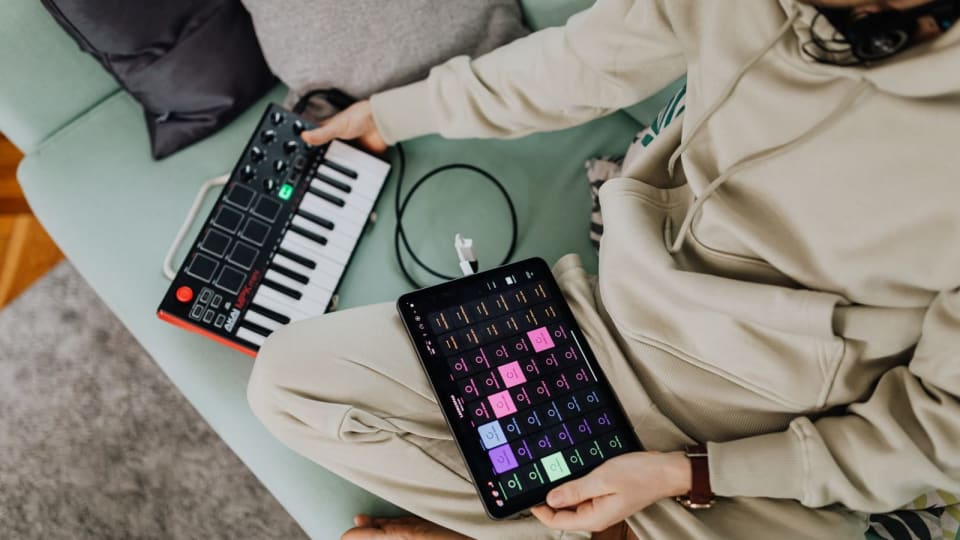
Featured photo: Tima Miroshnichenko / Pexels. The photograph illustrates shared piano practice; it does not show any of the apps reviewed. Contextual webpage captures: Simply.