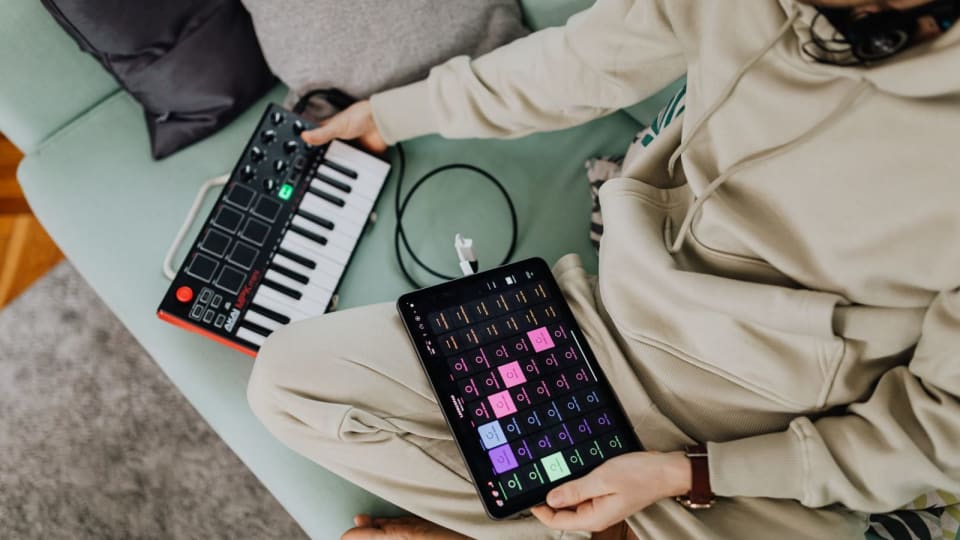
Roland's FP-40 makes the learning app part of the piano's controls. A dedicated Piano Sphere button can help you move through lessons, and Wi-Fi adds another route for keeping a record of playing. For someone choosing between it and an FP-30X, the important question is how much those connections change an ordinary week at the keyboard.
The FP-40 is most interesting if you want Piano Sphere's integrated lessons or a simpler USB-C phone connection. Both instruments use Roland's PHA-4 Standard action. The FP-30X also already has USB audio/MIDI, so an owner who only wants to record into a computer may not need another piano.
The FP-40 starts at a checked US instrument price of $749.99. A new furniture stand, three-pedal unit and adjustable bench bring the example below to $1,234.96 before tax and shipping, using an existing compatible phone or tablet.
Specifications and prices checked 28 September 2026. This is a documentation-based buying comparison; we have not tested the instruments' touch, app response or wireless reliability.
The piano, Piano Sphere and Roland Piano App do different jobs
The FP-40 arrived in Roland's 1 September announcement alongside Piano Sphere, developed with Skoove. It helps to separate the instrument from its two named companion apps. Otherwise a feature advertised somewhere in the connected system can sound as though it is available from the piano's front panel.
This map follows the app section of the Roland reference manual. You do not need to treat the whole system as one indivisible purchase.
The keys, internal sounds, speakers, metronome and onboard recording controls. Ordinary piano playing does not depend on running a lesson on a phone.
Guided learning, songs and activity views for the FP-40, with integrated button control and a Wi-Fi setup route.
A separate remote-control and practice app. Its settings interface also reaches sounds that the FP-40 does not expose directly on its panel.
A beginner following an app course might spend much of a session in Piano Sphere. A player rehearsing printed repertoire might use the piano by itself and open Roland Piano App only to change a setting. Someone recording a take into a computer uses the USB connection and their recording software. These are different workflows, even when they share the same instrument.
Piano Sphere currently lists the FP-40 as its compatible instrument. An FP-30X's ability to connect to Roland Piano App does not grant it Piano Sphere support. That model-specific distinction matters more than the fact that both products carry the Roland name.
What actually changes from the FP-30X
The comparison below draws on the FP-30X specifications, FP-40 product information and the newer instrument's reference specifications. These are buying differences, rather than an attempt to rank every number on the specification sheets.
Keyboard and piano engine
FP-30XPHA-4 Standard; SuperNATURAL Piano; 256-note maximum polyphony.
FP-40PHA-4 Standard; Piano Reality; 256-note maximum polyphony.
Phone and computer connection
FP-30XUSB Type-B for audio/MIDI.
FP-40USB Type-C for audio/MIDI, plus charging for supported USB-PD phones/tablets.
Headphones
FP-30XTwo sockets: 3.5mm and 6.35mm stereo.
FP-40One 3.5mm headphone/headset socket.
Cabinet and carrying weight
FP-30X1,300 × 284 × 151mm without the music rest; 14.8kg with the rest.
FP-401,307 × 332 × 122mm without the music rest; 14kg with the rest.
Matching furniture
FP-30XKSC-70 stand; KPD-70 pedal board.
FP-40KSF-40 stand; KPD-70 pedal board.
The shared action name means the FP-40 should not be described as a new action generation on the strength of this launch. The changed sound engine still merits an audition. Try the same soft phrase, repeated note and sustained chord on both instruments, at comparable listening levels. The specification sheet cannot tell you which response you prefer through your own headphones.
The single headphone socket deserves attention in a household where two people practise or have lessons together. Check the actual listening arrangement before buying. Our post on connecting two headphones to a digital piano explains the options and their limitations; a second listener is not something to discover after the piano arrives.
The newer cabinet is lower but deeper. Measure the available surface from front to back, leaving room for connectors, the music rest and your seated position. A product photograph can make a shallow-looking front panel seem more compact than the space it occupies. The 0.8kg difference between the published instrument weights will not eliminate the work of carrying an 88-key piano, stand and seat.
Also check sound access. Roland lists 305 FP-40 tones, with 40 available directly and 265 available only through Roland Piano App. For a player who mostly uses one piano sound, that split may barely matter. For someone selecting several sounds without a phone at rehearsal, the panel-accessible set is the relevant list.
What Piano Sphere adds to a practice session
According to Roland's Piano Sphere quick-start guide, setup leads into a profile, learning level and goals, followed by courses and songs. The piano's dedicated button can advance a lesson or respond to an offer to work slowly on a troublesome section. That reduces one kind of interruption: reaching for the screen between short lesson segments.
Consider an adult starting a first course after work. They want a clear next task, a song at an appropriate level and a way to repeat the section they missed. The integrated lesson controls address that sequence. A useful shop demonstration would show the complete loop: begin a lesson, make a deliberate mistake, see the available help, repeat the section and return to the song. Watching only a polished demonstration performance leaves the main learning workflow unexplained.
For an established student bringing a teacher's chosen score, ask a different question: does the app contain the relevant material, and does the supplied version match the music you are learning? A large song catalogue may offer plenty to enjoy without replacing the edition, fingering discussion or interpretive work happening in a lesson.
Roland also says that, through Wi-Fi, the FP-40 can record playing time when Piano Sphere is not open. That is a useful manufacturer-stated feature, but it does not tell us how accurately every break, repeated passage or sound is classified. Ask to see a short session appear in the Activity view. The resulting record is more informative than a claim that something is tracked “automatically.”
A playing-time total and a useful practice note answer different questions. Twenty minutes tells you how long a session lasted; “left-hand entry still late in bars 9–12” tells you what to return to. If your practice extends to other instruments or teacher-assigned repertoire, a separate record may remain useful. Our practice-tracker comparison includes Practis, which we make, alongside other options. There is no verified Piano Sphere-to-Practis integration in this setup.
What is free, and what needs a paid upgrade?
Roland's Piano Sphere page lists 100 free songs and three free courses spanning beginner to advanced content. It also advertises a paid expansion with more than 1,000 additional songs and lessons. Those are two different levels of access; the larger catalogue should not be included in a description of the free package.
The US App Store listing showed Piano Sphere Premium purchases at $59.99 and $149.99 when checked. The public listing did not identify the billing period for either amount. We therefore cannot give a verified annual Premium total from that page. Check the duration, renewal terms and included content on the purchase screen before subscribing, and verify Android pricing separately if that is your platform.
The budgets below use the free level. This lets you evaluate the piano and the included lessons before making a recurring commitment. If a particular song or course is the reason you want the system, confirm that exact item and its access level first. “Includes songs by an artist” is not a promise that every song, arrangement or level you want is included.
There is a practical difference between trying a free app and relying on it as your entire learning plan. Work through enough of the available course to understand its explanations, correction process and pace. A short trial should leave you able to identify the next task without guessing what a score symbol or instruction means.
Check the device, cable and network separately
For an existing USB-C phone or tablet, the included 1.5m USB-C-to-C data cable is the simplest starting point. The wired-connection instructions describe connecting it to the piano's USB Mobile/PC port and selecting the USB connection inside the app. The USB Memory socket is for a flash drive, not an interchangeable phone connection.
The rear-panel manual specifies 10W charging, at 5V/2A, for supported USB-PD phones and tablets. That is a defined power capability, not a promise that every device will charge quickly during every activity. Check the battery behaviour of your exact device while using the lesson you intend to follow.
Lightning iPhones/iPads and Micro-USB Android devices require different adapters and cables. Roland specifies an Apple Lightning to USB 3 Camera Adapter plus a USB-A-to-C data cable for the former, and an OTG adapter plus an A-to-C data cable for the latter. Those extras are outside our USB-C budget. A cable sold only for charging will not carry the required data. The broader piano-to-iPad connection guide explains the connector roles.
Apple's listing currently requires iOS/iPadOS 15.2 or later. Roland lists Android 11 or later, with no guarantee for every Android device, and recommends checking its compatibility information before adopting a new Apple OS release. An app-store minimum establishes installation eligibility; it does not prove that your complete piano, cable and device combination has been tested.
Wi-Fi is another connection again. The FP-40 supports the 2.4GHz band. Its Wi-Fi instructions place network setup inside Piano Sphere's Profile area, where the selected access point and password are entered. The wired-connection chapter says that Wi-Fi setup can be skipped, but the app still needs internet for authentication, synchronisation and content downloads. Do not interpret an optional piano-to-router step as a promise of fully offline lesson use.
In a school or shared building, establish who controls the wireless network before treating the connected features as available. A suitable home router and a managed institutional network are different situations. Ask the administrator about connecting the instrument rather than changing network settings or supplying institutional credentials to a salesperson.
A complete home setup costs more than the piano
These are US dollar snapshots checked on 28 September 2026, from Sweetwater's FP-40, KSF-40 and KPD-70 bundle and RPB-200-BK adjustable bench listing. They are not Amazon prices. Tax and destination-dependent shipping are excluded; confirm those at checkout. No availability promise is implied.
The example assumes you already have a compatible USB-C phone or tablet and internet access. It uses the piano's speakers, included power supply, music rest and USB cable, plus Piano Sphere's free level. Headphones, a new tablet, lessons and Premium are separate choices.
New piano, furniture and adjustable seating
- FP-40, with included DP-2 switch pedal
- $749.99
- KSF-40 matching stand
- $149.99
- RPB-200-BK adjustable bench
- $184.99
- Playable setup using the supplied pedal
- $1,084.97
- Optional KPD-70 three-pedal board
- +$149.99
- Setup with the three-pedal board
- $1,234.96
If you already own a suitable supported stand and a properly positioned seat, the incremental instrument purchase is $749.99 under this snapshot. Check the stand against Roland's placement instructions and the actual dimensions; “fits 88 keys” is not enough to establish that every support position is safe.
The supplied DP-2 is a switch pedal. It provides a starting sustain control, but it should not be described as the same physical or continuous-control experience as the furniture pedal board. Decide with your teacher or from your repertoire whether the initial setup needs that upgrade. The KPD-70 attaches to the FP-40's matching KSF-40 stand; do not assume the older piano's KSC-70 furniture transfers across.
For an FP-30X owner, compare the entire changeover with keeping the existing setup. A new instrument may also require new furniture or a different shared-headphone arrangement. A working piano plus an independent learning app can be the lower-disruption choice if the integrated button and connected activity record will see little use.
The onboard recorder and phone recording are different
The FP-40's recording chapter describes one onboard song slot: making a new recording overwrites the previous one. That is suitable for listening back to a current attempt, but it is not a growing archive of your weekly takes. Save a recording you want to retain before replacing it.
For video, Roland documents a separate phone-camera workflow using USB audio. The piano connects to the phone, the camera app records, and you play back the resulting file to check it. The manual also points to the headset microphone option for adding speech or singing. Verify the input your exact camera app actually records before making a complete performance.
A sensible first test is short: speak if you need speech, play a quiet phrase and a louder chord, stop, disconnect as appropriate and listen to the saved file. Confirm the beginning, both musical extremes and the end are present. This tests the deliverable you need, without assuming that a visible USB connection proves the right audio reached the recording.
What to ask for in a showroom demonstration
Bring the device and headphones you expect to use, plus a short familiar passage. Ask permission before pairing a personal account or network. The following checks focus on the decisions that the specification sheet cannot settle for you.
Play quietly before trying the loudest sound.
Repeat a soft phrase and a melody over accompaniment. Check whether you can control the balance comfortably. Keep the same headphone pair and comparable volume when moving between instruments.
Complete one lesson loop.
Open an included lesson, use the Piano Sphere button, request or accept section help, then return to normal playback. Check that the explanations and controls make sense from your playing position.
Prove the connection you plan to use.
Connect your exact supported device and data cable. If recording matters, make a brief test file and listen back. If two people need headphones, try that arrangement too.
Inspect the whole quote.
Write down the piano, stand, pedal, bench, adapters and any subscription separately. Confirm the bundle's model numbers, the free-content boundary and the delivered total.
The FP-40 deserves a place on a new buyer's shortlist when its connected learning workflow is something they will use regularly. An FP-30X owner needs a more specific reason to change: a demonstrated benefit in the lessons, device connection or daily setup that is worth replacing an otherwise useful instrument.
Bring these to the demonstration
FP-40 reference manual
Piano Sphere on the US App Store
Piano Sphere compatibility and store links