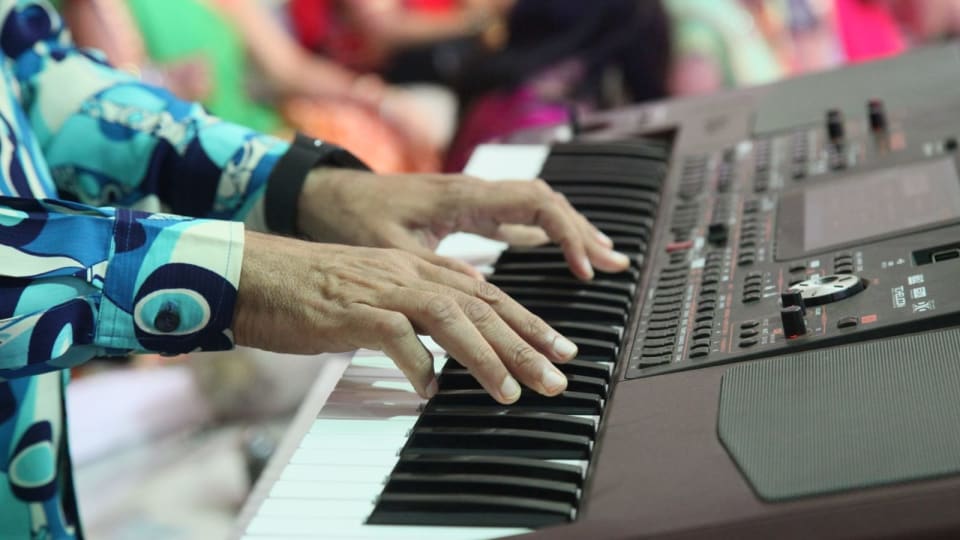
Photo: cottonbro studio / Pexels.
Playground Sessions puts a piano course, familiar songs and performance scores in the same place. For an adult beginner who likes having a lesson to work through and something measurable to improve, that combination makes sense. The harder questions are whether you enjoy its way of practising, how well feedback works with your instrument, and how much of the song library remains included in the plan you buy.
Our assessment draws on the published curriculum, current plans and support documentation. We haven't tested its scoring accuracy firsthand.
What you actually learn in Playground Sessions
The course has three parts: Bootcamp supplies the main learning sequence, Courses develop particular skills, and Songs provide arrangements to practise. Bootcamp moves through Rookie, Intermediate and Advanced levels. The official curriculum overview starts with keyboard fundamentals and builds into chords and more demanding playing.
There is real notation teaching here. The Rookie lesson list includes staff notation, rhythm symbols, key signatures, hand-position changes and playing by ear. That matters if you want to understand what you are reading as well as reproduce a tune. Courses cover topics such as scales and chord progressions, according to the membership description.
For a complete beginner, the attraction is continuity. You can work through a concept, attempt an exercise and return to the same material tomorrow without assembling your own syllabus. Familiar melodies can also help you notice when a rhythm sounds wrong. Someone returning after childhood lessons may need less explanation of note names and more time finding where their two-hand coordination currently holds up.
The level names need some perspective. Playground's Keyboard Skills material includes inversions, accompaniment, pedalling and dominant sevenths. Those are useful subjects, but an Advanced label inside a course does not establish equivalence with a particular exam grade or readiness for demanding classical repertoire. Look at the actual music you want to play.
Microphone feedback and MIDI are different experiences
You can now use Playground Sessions with an acoustic piano and receive scores through your device's microphone. A compatible digital piano can also send notes directly through a USB or MIDI connection. The current microphone-versus-cable guide distinguishes end-of-section feedback from the instant, note-by-note feedback available through a cable.
The connection changes what reaches the app. This is why two people using the same lesson can have different experiences with its scoring.
How your playing reaches the app
Microphone mode is a useful starting point when the piano you already own has no electronics. There are practical limits: Playground's setup instructions warn that backing tracks can affect scores, recommend wired headphones for the app audio, and explain that piano demo sounds switch off while microphone feedback is enabled. Your acoustic piano, or your keyboard's speakers, still needs to be audible to the microphone.
For a compatible digital instrument, a cable removes that room-audio problem and allows the app to receive the notes you actually press. We would use that connection for regular scored practice. Check the sockets at both ends before ordering anything: the cable that fits a laptop may need an adapter for a phone, and a headphone output is not a MIDI connection.
Scores help with repetition, but leave some questions unanswered
Playground's feature overview lists section looping, tempo adjustment, demonstrations, backing tracks and a metronome. Those are sensible tools for working on a short passage. With a cable, the coloured notes distinguish correct playing, wrong pitches and timing errors, so you have something more specific to revisit than a single overall percentage.
Imagine a four-bar passage where the left hand arrives late whenever the chord changes. Slowing it down and looping that change gives you a manageable task. Playing the entire song repeatedly may offer far fewer useful attempts at the troublesome movement. This is where the practice controls could justify the subscription even for someone who already understands the lesson.
A score still leaves questions about how you produced those notes. You might get the pitches and timing right while holding your shoulders rigidly, using a fingering that makes the next phrase awkward, or drowning out the melody with the accompaniment. Note data cannot show what your wrist is doing. A recorded video lesson can explain a movement, but it cannot watch your particular attempt and adjust the explanation.

A useful check is to play the passage once without the backing track or visual cues. Listen for a steady pulse and a clear melody, and notice whether the movement feels repeatable. When a passage stays awkward despite slower practice, an individual lesson can be more useful than another round of scoring. PianoTechSupport offers online piano lessons with individual feedback on technique and practice.
The song arrangement matters more than the catalogue total
The library offers familiar music at different levels, but the song title alone tells you little about the experience. For example, the listing for Ed Sheeran's Photograph identifies an Intermediate, Moderate, full-song arrangement and links to easier and harder alternatives. It also describes tempo controls, hand demos and a downloadable sheet-music PDF.
A simpler arrangement can be exactly what you need in your first months. It may also sound thinner than the version that made you want to learn piano. Before subscribing, find three songs you genuinely want to work on and inspect the available levels. Listen to any previews. Check whether the piano part still appeals to you without the backing band.
This is especially relevant for returning players. Recognising a song and being able to manage its accompaniment are separate things. A comfortable arrangement gives you room to improve phrasing and balance; a much harder one can leave most of your attention occupied with finding the notes.
For broader practice outside the course, our product Practis can keep a practice log alongside your other repertoire. That is useful when your week includes an app lesson, a teacher-assigned piece and independent work that you want to track together.
Prices, the free trial and the lifetime-plan limit
The US web offers below were checked on 6 September 2026 during a sale. They are a dated snapshot of the official membership page, not a promise of the price you will see later. Taxes and purchase channel can affect the total.
| Plan | Advertised charge | Important detail |
|---|---|---|
| Monthly | $19.99/month | Recurring subscription. |
| Annual | $99.99 for the first year | Billed upfront. The displayed $8.33/month is an equivalent, not monthly billing. Check renewal terms. |
| Lifetime | $219.99 once | Copyrighted-song access is included for two years; continued access can cost extra. |
The lifetime distinction is substantial for someone joining mainly to learn pop songs. Core lessons and non-copyrighted material remain included, while continued access to copyrighted songs after two years can require another payment. The plan terms confirm that distinction. Ask about the later song-access charge before buying; a one-time membership purchase does not settle every future repertoire cost.
The current trial page advertises seven days free, followed by the selected plan's charge. Set a reminder before it ends. The website also advertises a 30-day money-back guarantee, but the general terms contain a non-refundable-payments provision. If that guarantee is part of your buying decision, get support to confirm how it applies to your purchase and keep that confirmation.
For a first-time user, a short commitment gives you time to discover whether you actually return to these lessons. The annual offer may cost less than several monthly payments, but that saving depends on continuing to use it. There is little reason to decide on lifetime access before you have practised with the app on your own instrument.
Will it work with your device and keyboard?
Playground currently supports iPhone, iPad, Android, Windows and Mac. Its requirements page lists minimum operating systems of iOS/iPadOS 15.1, Android 11, Windows 10 and macOS 11, plus hardware requirements. Android's minimum includes 4 GB of RAM. An old tablet running the right operating system still needs to meet the rest of the specification.
Screen size affects comfort as well as compatibility. Before moving your laptop or buying a tablet, put your existing device where the score would sit and check whether you can read it without leaning forward. Allow room for the charging lead and, if applicable, the MIDI cable.
You do not need to buy an 88-key instrument just to begin the course. Playground's keyboard guidance says 49 keys cover its Rookie and Intermediate lessons and recommends 61 or more for continuing into its advanced material. Longer-term repertoire is a separate consideration; our post on 61, 76 and 88 keys explains the range trade-offs.
Who should try it, and what should the trial prove?
Playground Sessions looks like a good fit for adults who want a sequenced course and enjoy practising song arrangements with feedback. A digital piano with a compatible cable makes particularly good use of that format. Acoustic players can now participate too, with the microphone-mode limitations described above.
There are reasonable alternatives. Pianote emphasises video teaching and feedback from real teachers; our Pianote review examines that approach. For a stronger focus on reading assessment, Piano Marvel is worth comparing, particularly its sight-reading tools. Our Piano Marvel review covers the wider practice system.
Rather than spend the trial browsing dozens of songs, use it to answer a few concrete questions. This small sequence should reveal more about the fit than the size of the catalogue.
A useful first week
- Check the setup. Try a simple lesson on the device and instrument you will actually use. Confirm that feedback responds sensibly to your playing.
- Finish one lesson. Return to it the next day. See whether the explanation helped you remember what to do.
- Work on one song passage. Slow it down, repeat a few bars, then play it without the backing track.
- Review the commitment. Before the trial ends, check your next charge and ask whether you want to continue with the material already underway.
If you are returning willingly to a lesson and hearing a passage improve, you have a useful reason to continue. If most of the week went into connection problems, unreliable scoring or searching for music you like, resolve those issues before paying for a longer plan.