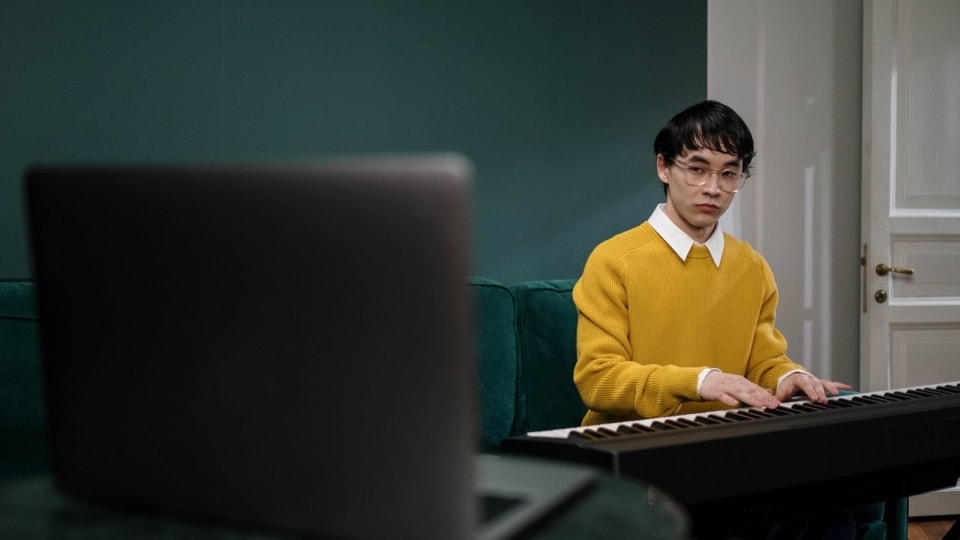
The best piano apps for kids do not all teach the same thing. Practis is most useful after a teacher or method has supplied the plan; Simply Piano gives a young beginner the easiest independent start; Mussila makes music fundamentals feel like play; and Piano Marvel offers the strongest reading runway. Age labels below are rough parent fits rather than promises, and all prices and product details were checked on July 17, 2026.
Which piano app fits your child right now?
Start with the job, not the App Store rating. A seven-year-old meeting notes for the first time needs a different product from a twelve-year-old who already has a teacher but forgets what happened between lessons.
Yousician remains a good seventh option when game energy is the main requirement. It listens through a microphone or MIDI, uses goals and rewards heavily, and offers a family plan with separate progress for up to four accounts. It misses the main list because Simply Piano is a cleaner young-child start and Piano Marvel has a stronger reading path, not because Yousician lacks substance.
Parents choosing for themselves rather than a child will get a different ranking in our fully re-tested piano learning app guide. Child-specific onboarding, shared profiles, and the amount of adult help required change the answer.
What does each app actually do best?
Practis: best when a teacher already supplies the curriculum
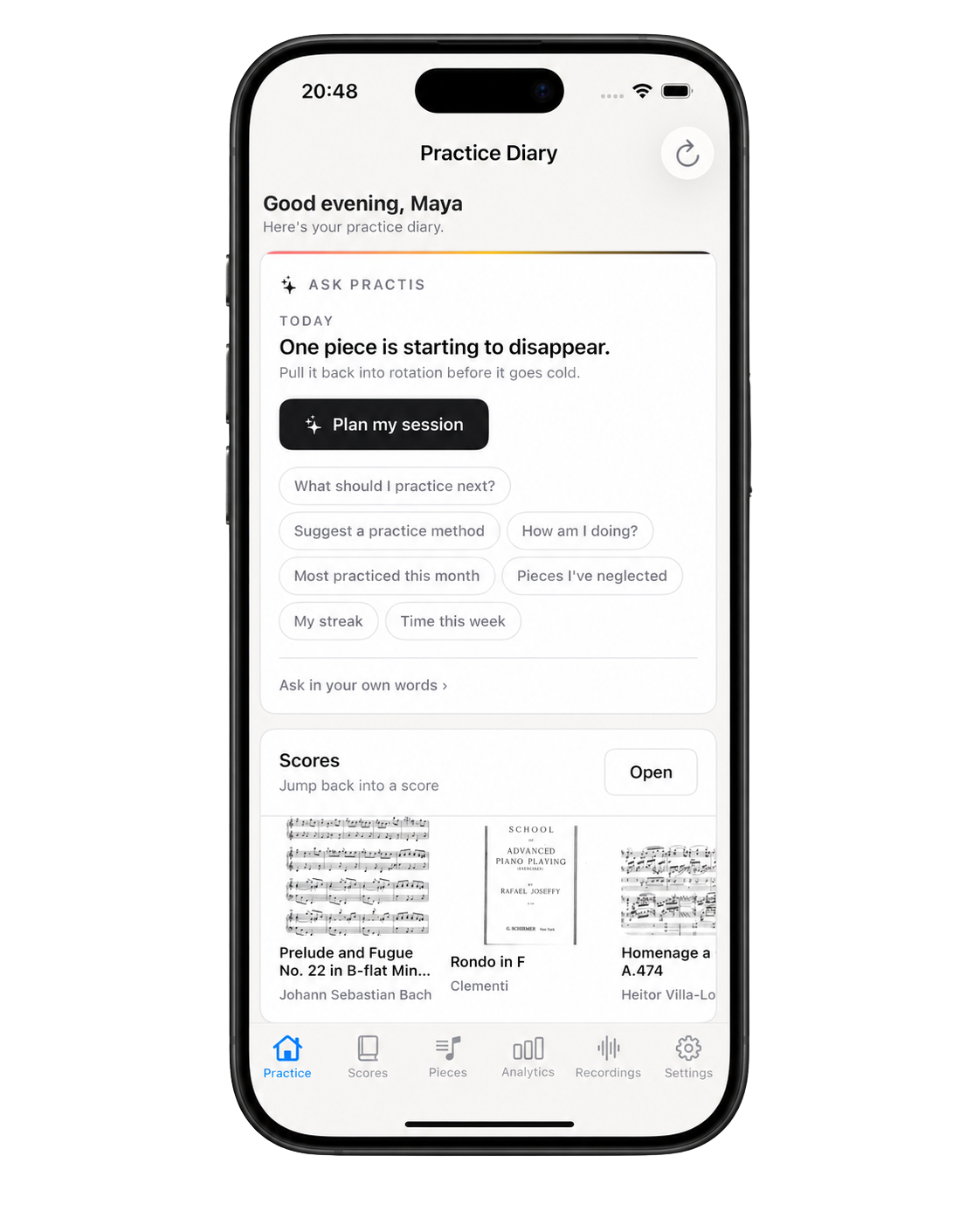
Practis is ours, and it should not be sold as something it is not. It does not teach a first note, demonstrate hand shape, grade a performance, or lead a child through a piano method. It becomes useful when the child already has a teacher, a method book, or school assignments and the family needs the work between lessons to stop disappearing.
A child can keep active pieces, practice time, short notes, recordings, and score work in one diary; a parent can review that record with them instead of asking, "Did you practice?" and getting a shrug. Practis works on the web, iPhone, and Android, and it is free to start. It does not currently replace a dedicated parent portal, so the healthy use is a short review together, not invisible surveillance.
Simply Piano: best self-guided first start
Simply Piano has the clearest case for a child who wants to begin now without waiting for a weekly lesson. Its current child experience customizes the early courses for ages 4-10, while its homeschooling curriculum is presented for ages 6-12. The app listens to an acoustic piano or keyboard, gives immediate note feedback, and moves through small guided tasks rather than asking a beginner to choose a path from a large library.
The family details are unusually practical. A family plan supports up to five profiles, the child environment is ad-free, there are no interactions with strangers, and parents can hide songs they do not want shown. The tradeoff is the same thing that makes it easy: prompts and rewards do a lot of the thinking. A child can become very good at following the app without yet becoming equally comfortable choosing fingerings, reading away from the moving display, or deciding how to repair a passage.
Mussila Music: best for musical play before a serious method
Mussila is the most child-specific product here. Its official material centers children ages 6-11 and combines note recognition, rhythm, instruments, piano songs, and small composition tools. A child can use the on-screen keyboard or let the app listen to a real piano without a cable, so families can discover whether the interest is real before buying a more elaborate setup.
That breadth is also its limit. Mussila builds general musical fluency and curiosity better than it builds a long, piano-specific technique sequence. It is a strong choice for a child who enjoys making and identifying sounds but resists the idea of formal lessons; it is a weaker choice for a child already asking to read substantial two-hand music. Think of it as a musical playground with a piano area, not a complete piano school.
The two official product pages below make the tonal difference obvious. Simply Piano presents a polished course that can carry a child independently; Mussila presents an illustrated world built around exploration and games.


Piano Marvel: best for a child ready to read seriously
Piano Marvel looks less like a children's game, but it has the longest educational runway of the dedicated course apps here. Its current Premium plan includes more than 1,200 lesson exercises, 200 video lessons, a large song library, and the Standard Assessment of Sight-Reading (SASR). The assessment presents fresh material at graded levels, which is much closer to practicing reading than replaying one memorized song until it earns a perfect score.
This is the strongest choice for a patient older child, a young exam-track student, or a family whose teacher wants objective reading work between lessons. It is best with a compatible digital piano or MIDI setup, and the interface asks for more patience than Simply Piano. Use the free account to confirm the keyboard connection and that the child tolerates its more school-like presentation before buying Premium.
Skoove: best for a calmer guided path from age seven
Skoove explicitly supports children aged seven and up. Its short lessons combine moving notation, video demonstrations, theory, technique, and real-time note feedback, with human instructor support included in Premium. It is still friendly, but its pacing feels less reward-saturated than Simply Piano or Yousician, which can suit a child who dislikes cartoon energy or gets distracted by points.
The main hesitation is price. Skoove's official annual plan was $149.99 when checked, and its month-to-month option was $29.99. That can make sense if the child uses the structured course and instructor support; it is expensive if they only open favorite songs. The free lessons are enough to test the tone of the teaching before starting a trial.
flowkey: best for an older child with a specific song in mind
flowkey is not designed around young children, and that is sometimes an advantage. A tween or teen who finds a heavily gamified app embarrassing may prefer its clean combination of sheet music and an expert pianist's hands. Wait Mode pauses until the correct notes arrive, while slow motion, loops, and separate-hand practice make one difficult song easier to divide.
It is less convincing as a complete child curriculum. The library invites browsing, and a motivated learner can make real progress, but a child can also hop between attractive openings without building a sequence of reading and technique. The family plan supports up to five profiles; the free account includes eight songs and enough course material to see whether the child likes this quieter, self-directed style.
What can a piano app hear, and what does it miss?
Automatic feedback is good at events. A microphone can compare pitch and timing with an expected result; a MIDI connection can report note-on events more cleanly and may add velocity information. That is enough to catch many wrong notes, late entries, and rhythm slips, which is valuable for a beginner who would otherwise repeat them unnoticed.
It is much weaker at causes. A correct note can be played with a collapsed wrist, an awkward finger, a held breath, too much force, or a movement that will fail as soon as the tempo rises. None of the main apps in this guide watches the child's whole body and diagnoses those patterns like an attentive teacher can.
The feedback spotlight
The app sees musical events inside its spotlight; movement and sound quality still need human attention.
A 2022 ACM review combined expert interviews with a systematic review of 56 augmented-piano prototypes. It separated piano learning into four problems: movement and posture, sight-reading, motivation, and improvisation. The useful parent takeaway is not that technology fails; it is that one feedback system rarely covers all four. The review did not test the commercial apps ranked here, so it supports the framework rather than a product verdict.
"A green check means the app heard the expected event. It does not mean the child found a healthy way to produce it."
This is why app feedback should be treated as one layer. If the child repeatedly earns the right answer but looks uncomfortable, cannot play the same phrase without the screen, or uses a different finger every time, the next tool is observation. Our post on where piano learning apps create predictable blind spots goes further into that distinction.
How much parent involvement is still needed?
A piano app is not automatically "good screen time" simply because a keyboard sits underneath it. The American Academy of Pediatrics' 2026 guidance moves beyond one universal minute limit and asks families to consider quality, context, and conversation. For school-age children, it specifically recommends shared devices and playing alongside children so adults can see how they respond.
That does not mean hovering through every note. For a younger beginner, sit beside the first few sessions, help the microphone or MIDI setup work, and ask the child to show one thing away from the guided screen. Around ages seven to ten, an adult can usually move to a short beginning and end check: name today's task, then listen to thirty seconds without the app. An older child may only need a weekly review of what they chose, what improved, and what remains confusing.

The most revealing prompt is simple: "Show me what you learned without the app helping." If the child can find the starting place, count in, recover from a mistake, and explain one musical idea, the screen is transferring into a skill. If the child freezes when the animation stops, the app has become a cue system and needs to be balanced with printed music, free play, or a teacher.
"The parent does not need to teach the lesson. The parent needs to notice whether the lesson survives after the screen goes quiet."
Once the recurring problem becomes fingering, tension, pedal use, sound, or a child who has stalled despite completing levels, adding a teacher is usually more efficient than buying a second curriculum app. The practical options and costs are mapped in our comparison of piano apps, real online teachers, and a hybrid of both.
What will the subscription and setup really cost?
The annual price is only part of the decision. A low-cost app that needs a new tablet, stand, cable, and compatible keyboard can cost more in the first month than a pricier app that works with the piano already in the room. Prices below are current US-facing baselines, not promises; app-store region, promotions, and family plans can change the checkout screen.
| App | Try before paying | Current paid baseline | Instrument setup |
|---|---|---|---|
| Practis (ours) | Free account | Free start; optional paid plans | No instrument connection; use beside any lesson or method |
| Simply Piano | Trial and limited free courses | Price shown by region and plan at checkout | Acoustic or digital piano; microphone or MIDI |
| Mussila Music | 7- or 14-day trial by offer | Official offers showed $7.99-$9.99 monthly and $47.99-$59.99 yearly | On-screen keys or a real instrument through the microphone |
| Piano Marvel | Free tier with lessons, songs, and 3 SASR tests | $17.99 monthly or $129.99 yearly | Broad device support; a MIDI keyboard gives the cleanest scoring |
| Skoove | 3 free lessons; 7-day Premium trial | $29.99 monthly or $149.99 yearly | Acoustic or digital piano; microphone or MIDI |
| flowkey | 8 songs and selected exercises free | Full songs: $24.99 monthly or $149.99 yearly; family costs more | Acoustic or digital piano; microphone or MIDI |
| Yousician | Free trial for first Premium period | Localized Premium, Premium+, and four-profile Family plans | Microphone or MIDI; a multi-octave keyboard is recommended |
Do not buy a year on day one. Confirm that note recognition works in the actual room, the child can read the display comfortably from the bench, and the plan supports a separate child profile if adults will use it too. Also set the tablet far enough away that the child can sit normally; a perfect curriculum on a badly placed phone still creates a bad practice setup.
How should a parent test an app before subscribing?
Use one ordinary week, not the excitement of the first evening. The best app is the one a child can return to, learn from, and leave behind when it is time to play without prompts.
The seven-day parent score
Score each line: 0 = no, 1 = with prompting, 2 = independently
8-10: the fit is promising. 5-7: stay monthly and adjust the setup. 0-4: cancel before the trial renews.
The score is intentionally about behavior rather than stars, badges, or how many lessons were cleared. A child who learns slowly, comes back willingly, and can demonstrate the idea away from the app has a better tool than a child who races through twenty levels and cannot begin without a moving prompt.
The short buying answer is simple: choose Practis for continuity around real lessons, Simply Piano for the easiest independent beginning, Mussila for playful foundations, Piano Marvel for serious reading, Skoove for calmer guidance, and flowkey for an older child's song goal. Keep Yousician in reserve for the child who needs a stronger game loop. Then judge the trial by what remains at the piano after the screen stops congratulating them.