
Automatic transcription earns its keep when the generated file takes less time to correct than entering the piece from scratch. A clean solo piano or melody can produce a useful draft, while a mastered track with vocals, drums, bass, effects, and flexible timing can still produce pages of extra notes and misplaced barlines.
The strongest alternative depends on whether the source is a local file, a live performance, an isolated instrument, or a finished mix. The required handoff, especially MusicXML versus MIDI, narrows the field further.
Begin with the recording you have
Audio transcription has several separate jobs hidden inside it. The software may need to separate instruments, decide which frequencies are musical notes, locate the beat, divide those notes between voices and staves, and turn the result into readable notation. A tool can identify most pitches and still place the barlines incorrectly. Another may create convincing piano playback while producing awkward ties, rests, and voice changes on the page.
The source therefore matters more than a broad claim such as “AI transcription.” A close recording of one singer, wind instrument, or guitar gives the model a relatively clear stream of events. Solo piano adds overlapping notes, pedal resonance, and two-hand voice allocation. A commercial mix asks the system to untangle several instruments whose harmonics and attacks occupy the same frequencies.
This is also a different task from scanning printed sheet music. A scanner begins with symbols already placed on a page and uses optical music recognition. AnthemScore and the tools here begin with sound, where the intended notes and meter have to be inferred.

AnthemScore sets a useful desktop baseline
AnthemScore 6 is current at version 6.1.0 and runs on Windows, macOS, and Linux. It opens common audio formats, detects notes and beats, shows the result against the recording, and supplies tools for correcting notes and measures. It does not identify lyrics or chord symbols. The desktop application needs an internet connection for activation, then it can run offline.
The three desktop editions share the same transcription engine. Lite costs $29 and handles unlimited full songs with PDF viewing, saving, and printing. Professional costs $39 and adds full note editing, audio controls, MIDI, MusicXML, and ASDT export. The $99 Studio edition adds batch processing and lifetime updates. Lite and Professional include one year of updates, while the activation itself does not expire. A license initially covers up to four computers.
The desktop trial processes the first 30 seconds of each song, is capped at 100 transcriptions in total, and lets the user switch between Lite and Professional behavior. That makes the Professional trial the relevant comparison for anyone who expects an editable file. Lite can print the generated page, but its missing MusicXML export becomes a substantial limitation when the score needs detailed cleanup elsewhere.
AnthemScore Web is a separate subscription service. Its free account offers a 14-day trial for full-length songs up to six minutes, followed by unlimited 30-second clips. Plus costs $9.99 monthly or $8.33 per month with annual billing for 30 songs a month; Pro costs $29.99 monthly or $24.99 per month annually for 100 songs and raises the per-song limit from six to ten minutes. Both paid plans download PDF, MIDI, and MusicXML. The AnthemScore directory profile provides the short product overview; the rest of this guide focuses on the workflows its alternatives change.
What the current alternatives return
Prices and limits below were checked on August 30, 2026. Monthly equivalents for annual plans require an upfront annual payment, and taxes or regional billing can change the checkout total. The output column matters as much as the price: MusicXML carries score structure into another notation program, while MIDI mainly carries timed note events.
| Tool | Good starting point | Score and correction route | Where it runs | Current cost or trial |
|---|---|---|---|---|
| AnthemScore 6 | Local audio files; solo or polyphonic material | Built-in notes and measures; PDF, MIDI, MusicXML on Professional | Windows, macOS, Linux; separate web version | Desktop $29 / $39 / $99 once; 30-second trial |
| Klangio Transcription Studio | Uploads, recordings, links, selected parts, and mixed songs | Browser editor; PDF, MIDI, MusicXML, Guitar Pro | Web, iPhone/iPad, and Android | 20-second demos; Studio Pro $19.99/month or $8.33 annual equivalent |
| capella audio2score 5 | Piano, pop melody/accompaniment, or classical groups | Pro editing; MusicXML, PDF, MIDI | Windows and macOS | Start $68; Pro $188 once or $10/month; 15-day trial |
| Songscription | One selected instrument extracted per pass | Note editor and piano roll; PDF, MIDI, MusicXML, Guitar Pro | Desktop and mobile browsers | Free 30-second jobs; Plus $9.99/month; Pro $29.99/month |
| ScoreCloud | A live voice, instrument, or MIDI performance | Full score editor; audio-file transcription and MusicXML on Pro | Windows, macOS; Express on iPhone and iPad | Free tier; Pro $20.99/month; 10-day Pro trial |
| Basic Pitch / NeuralNote | One tonal instrument at a time | MIDI first; import into MuseScore for notation | Browser, local command line, standalone, or plugin | Free and open source |
| Transcribe! + MuseScore | Difficult passages that need decisions by ear | Manual note entry with loops, markers, EQ, and spectrum support | Windows, macOS, Linux | Transcribe! $39 once; 30-day evaluation; MuseScore free |
The table includes Transcribe! because it often becomes the faster route when an automatic draft is especially disorderly. It is not automatic notation software. It supplies listening and navigation tools while the musician enters the score.
The main alternatives solve different recording problems
Klangio Transcription Studio
Klangio Transcription Studio accepts uploaded files, microphone recordings, and links from YouTube, Instagram, or TikTok. Its current modes cover single instruments, multiple instruments, classical material, rock, arrangements, and lead sheets. The supported output is unusually broad: PDF, quantized or unquantized MIDI, MusicXML, and Guitar Pro, followed by correction in a browser score editor.
The free version can repeatedly preview 20 seconds. Instrument Pro covers one specialized app, such as Piano2Notes or Guitar2Tabs, for $14.99 monthly or a $6.25 monthly equivalent with annual billing. Transcription Studio Pro covers all supported instruments and multi-instrument modes for $19.99 monthly or $8.33 per month on an annual plan. It permits unlimited personal-use full transcriptions under a fair-use policy, with a soft limit of 1,000 per month; each transcription can be up to 15 minutes. The subscription is a clear change from AnthemScore desktop's unlimited local processing.
Those modes do not make every full mix reliable. In a detailed July 2026 MusicRadar test, Klangio found pitches well on clearly recorded single instruments and handled straightforward rhythms, but swing, expressive timing, drums, older recordings, and separation within dense mixes caused problems. Supplying the expected instruments, key, meter, and approximate tempo improved several results. Those controls still leave the musician to spot an implausible bar or pitch.
capella audio2score 5
capella audio2score 5 takes a more interventionist approach. Pro can recognize harmony, melody, bass lines, and instrument groups, then create a playable piano or ensemble arrangement. Its sound-tissue view exposes the recognized events for correction before MusicXML, PDF, or MIDI export. That can be more useful than a literal attempt to recover every layer when the actual goal is a rehearsal score or piano reduction.
capella says the software does not recognize percussion, cannot separate individual instruments inside a classical group, and expects clear monophonic pop vocals. Automatic meter recognition is limited to 3/4 and 4/4, with no time-signature or key changes within a piece. Start currently costs $68 and produces piano or single-voice arrangements without Pro's internal recognition editing. Pro is $188 once, $10 per month, or $80 per year. Both run on Windows and macOS, with a 15-day trial.
Songscription and ScoreCloud
Songscription is aimed at a different browser use case: select piano, guitar, bass, violin, flute, trumpet, saxophone, drums, or vocals, then extract that part from an upload, link, or recording. It supplies a note editor, a piano-roll view, difficulty simplification, and PDF, MIDI, MusicXML, and Guitar Pro export. A multi-instrument recording requires a separate pass for each chosen instrument; full-band and orchestral transcription are still on its roadmap. Plus provides 60 transcription minutes a month for $9.99, and Pro provides 300 minutes for $29.99. Annual prices are $99.90 and $299.90.
ScoreCloud makes more sense when the input is being created now. ScoreCloud Studio records a voice, single instrument, or MIDI performance on Windows and macOS, turns it into notation, and keeps the result in a full score editor. Express handles simpler melody capture on iPhone and iPad, while Songwriter, available for Windows and macOS, builds lead sheets from singing and accompaniment. The company advises a steady pulse, clear sound, and restrained ornamentation for better recognition.
The free plan stores ten online songs and prints with a watermark. Plus costs $5.99 per month and adds unlimited songs, clean printing, and MIDI import and export. The $11.99 Songwriter plan opens its lead-sheet product. Pro is $20.99 per month and is the relevant tier for imported audio files and MusicXML; all features can be tried for ten days. ScoreCloud is therefore closer to an idea-capture and notation environment than a system for unpicking a mastered band recording.
Basic Pitch makes free transcription a MIDI workflow
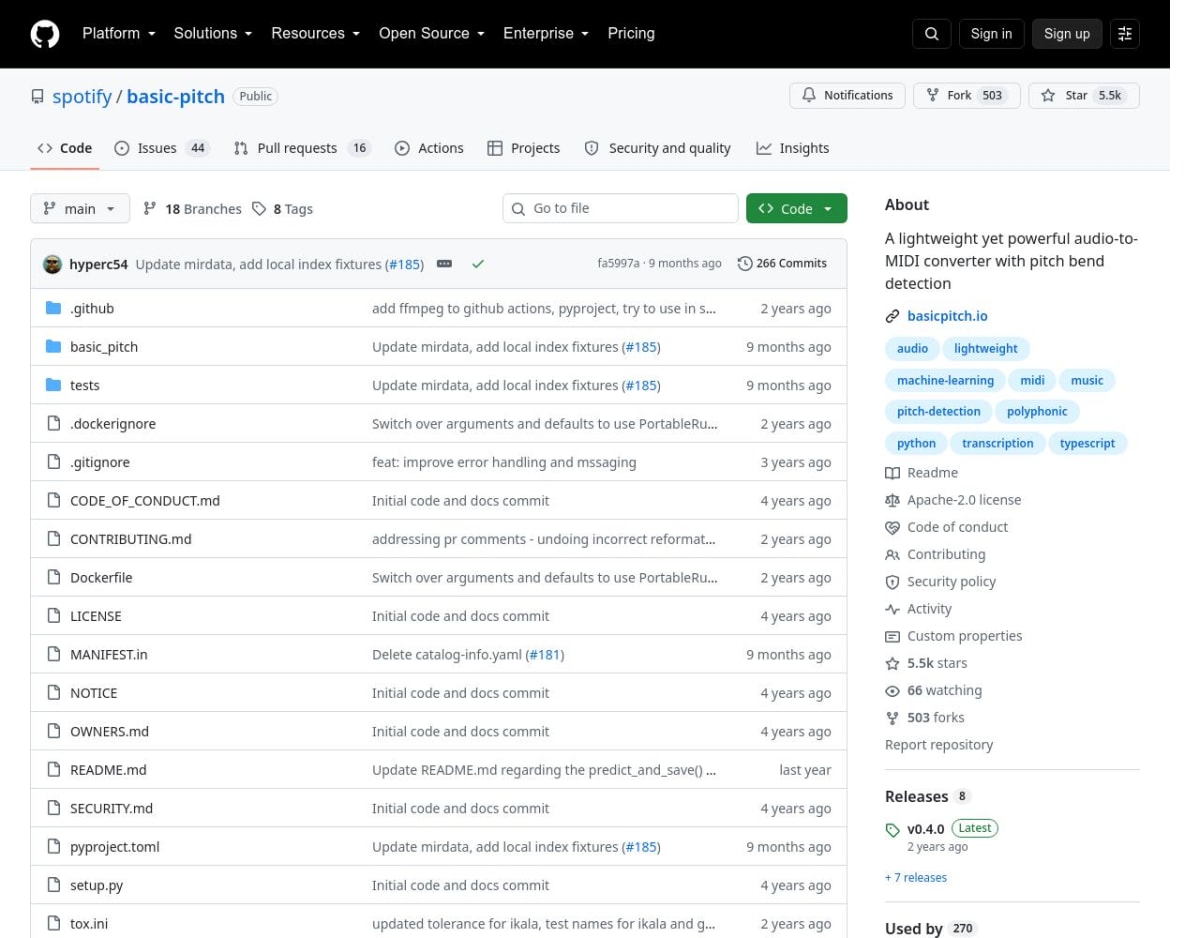
Spotify Basic Pitch provides a no-cost starting point for clean, single-instrument audio. The browser demo accepts an audio file and returns MIDI, while the open-source Python project can run locally on Windows, macOS, or Ubuntu. It detects pitch bends, accepts polyphonic instruments, and works across different timbres. Its own documentation says it performs best with one instrument at a time.
A musician who prefers a visual local application can use NeuralNote, which packages the Basic Pitch model into a standalone application and plugin workflow. Audio can be recorded or dropped in, note events can be adjusted and quantized, and MIDI can be dragged into a DAW. Neither project produces an engraved PDF or a MusicXML score directly.
MuseScore Studio can open the resulting MIDI and turn it into staff notation, but Basic Pitch and NeuralNote export timed note events and pitch bends rather than score layout or full notation semantics. MuseScore can infer measures, durations, and spelling on import; voices, ornaments, articulations, repeats, and engraving still need musical editing.
Direct MusicXML from AnthemScore Professional, Klangio, capella Pro, Songscription, or ScoreCloud Pro begins farther along because it can carry measures and more notation structure. MusicXML imports still need proofreading and layout work. The MuseScore, Sibelius, and Dorico comparison covers the editors that can take over once that draft exists.
Dense recordings still need human control
A full stereo master compresses many musical decisions into two channels. Distorted guitar creates dense overtones, cymbals spread broadband noise across the spectrum, reverb blurs note endings, and bass notes share harmonics with instruments above them. Separation adds another prediction stage before the transcription engine sees the part. A cleaner stem can help considerably, though separation artifacts may then look like brief notes or unstable pitches.
Klangio and Songscription provide part-selection or separation inside their workflows. A separate stem tool can also isolate the piano, vocal, bass, or guitar before that file reaches AnthemScore, capella, or Basic Pitch. After separation, compare the isolated stem with the original mix and listen for missing attacks, watery tails, or bleed from another instrument.
When the automatic draft takes longer to repair than the passage would take to hear, Transcribe! provides a manual fallback. The $39 desktop application has a 30-day evaluation and runs on Windows, macOS, and Linux. It offers named loops, waveform markers, pitch-preserving slowdown, EQ, spectrum analysis, reference notes, annotations, and foot-pedal control. Transcribe! does not output notation or MIDI.
Manual transcription can begin with the bass line, outer voices, or a short melodic phrase rather than every event at once. A score and recording can then be aligned in software such as Soundslice for repeated checking; the Soundslice alternatives post compares that score-and-audio workflow.
Use the trial to measure correction time
Every main route here provides a free clip or evaluation period. A representative passage reveals more than a long feature list. Include at least one place where the music becomes difficult: a pickup, pedal-heavy chord, triplet, ornament, voice crossing, distorted attack, or instrument entrance.
- First beat and meterConfirm the pickup, first downbeat, bar length, tempo changes, swing, and tuplets.
- Missed and extra notesSolo the generated playback against the recording and mark errors before editing them.
- Voices and partsLook for melody notes placed in an accompaniment voice, crossed hands, and merged instruments.
- Readable notationCount awkward ties, tiny rests, accidental spellings, and rhythms that obscure a simple pattern.
- MusicXML handoffOpen the export in the notation editor you will use and check measures, staves, voices, and playback.
Record the correction time as well. Three obvious wrong notes may be quicker to fix than a cleaner-looking page whose barlines shift halfway through. Manual entry often remains competitive for a short melody. Across a long solo-piano recording with a stable pulse, even a rough automatic pass can remove a large amount of note entry.
Once the score is readable, Practis can keep the PDF, practice notes, recordings, and history together. That part of the workflow begins after transcription and engraving are settled.
Most recordings will still need musical editing. A short test with a difficult passage and a MusicXML import shows whether the software saves enough time to justify the rest of the workflow.


